

Download Gate Browser – Secure, Private, and Lightweight Web Browser
Overview
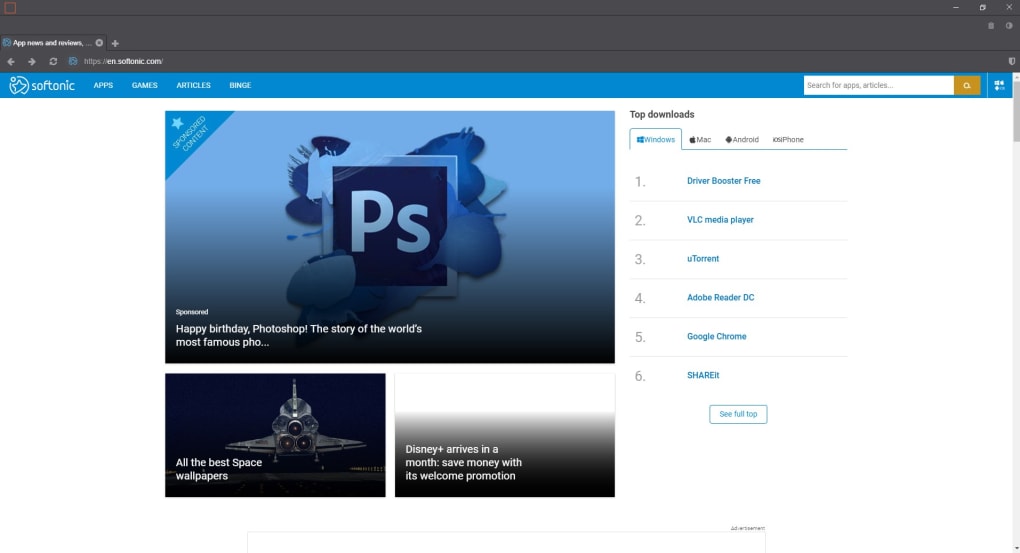
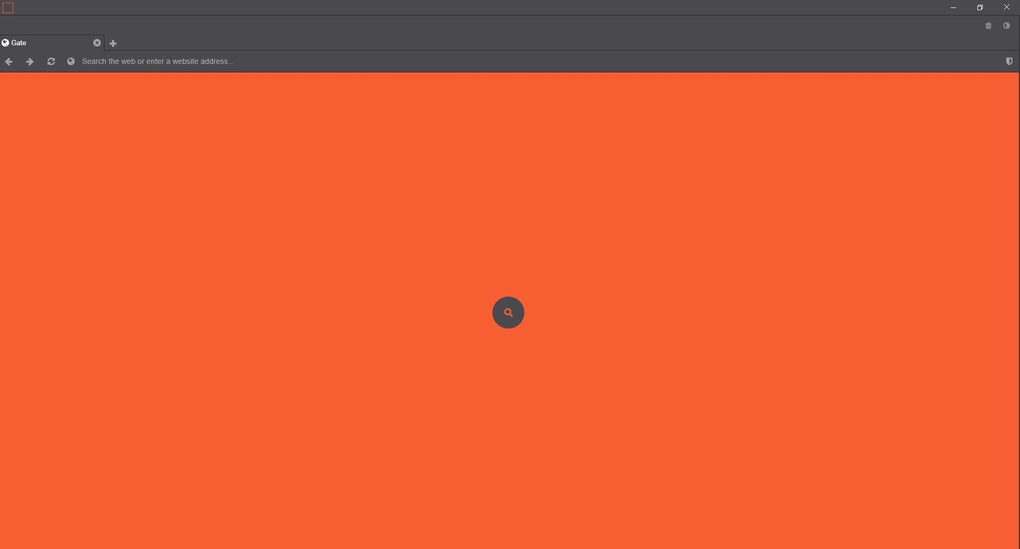
Gate Browser is a free, privacy‑focused web browser built on the reliable Chromium engine. While giants like Google Chrome and Mozilla Firefox dominate the market, users are increasingly demanding browsers that do more than just load pages—they want tools that actively protect their digital footprint. Gate Browser answers that call by delivering a minimalist interface with just a handful of intuitive controls, while automatically erasing history, cookies, and cache after every session.
Its built‑in download blocker stops accidental or malicious files from reaching your system, and a permanently‑active crypto‑mining shield safeguards you against hidden scripts that try to hijack your CPU for cryptocurrency mining. The default dark theme reduces eye strain, and a simple toggle lets you switch to a clean white mode whenever you prefer. Although Gate Browser omits features like a bookmark bar or extension manager, this intentional simplicity ensures the app stays lightweight, fast, and free from bloatware.
If you value a worry‑free browsing experience where privacy is the default rather than an after‑thought, Gate Browser offers a compelling alternative that blends security, speed, and ease of use into a single, free package.
Key Features and Benefits
- Automatic Private Browsing: Every session starts with a clean slate. No history, no cookies, and no cached data are stored after you close the window.
- Built‑In Download Blocker: The browser intercepts suspicious downloads, preventing potentially harmful software from being installed without your explicit consent.
- Crypto‑Mining Protection: A permanent shield blocks scripts that attempt to mine cryptocurrency in the background, preserving CPU performance and battery life.
- Lightweight Design: With no support for add‑ons or extensions, Gate Browser remains fast, responsive, and low on memory consumption.
- Dark and Light Themes: The default dark color scheme reduces eye fatigue, while a quick toggle near the close button lets you switch to a bright white theme.
- One‑Click History Cleaner: A trash icon located next to the theme switch instantly wipes the entire browsing history without exiting the browser.
- Chromium Core: Compatibility with modern web standards ensures sites render correctly, and you benefit from Chrome’s security updates.
These features combine to create a browsing environment that prioritizes security without sacrificing the speed and reliability you expect from a Chromium‑based engine. Because Gate Browser removes the clutter of extensions and bookmark bars, you experience faster page loads and lower CPU usage, which is especially valuable on older hardware or devices with limited resources. The automatic privacy mechanisms mean you never have to remember to clear your data manually—a common oversight that can expose personal information. Additionally, the download blocker and crypto‑mining shield work silently in the background, so you can focus on your tasks without worrying about hidden threats. For users who frequently work on public computers, shared devices, or in regions with strict internet monitoring, Gate Browser provides a discreet, low‑profile solution that leaves little trace of your online activity.
Installation, Usage, and Compatibility
Step‑by‑Step Installation
Installing Gate Browser is straightforward and takes only a few minutes. First, visit the official Gate Browser website and click the Download for Windows (or macOS, Linux) button. The installer file, typically named gate-browser-setup.exe, will be saved to your default download folder. Run the installer and follow the on‑screen prompts: accept the license agreement, choose an installation directory (the default works for most users), and decide whether you want a desktop shortcut. After the setup finishes, launch the browser from the shortcut or the start menu.
First‑Run Experience
Upon first launch, Gate Browser presents a clean window with a dark theme and three primary icons at the bottom: the theme switch, the trash (history cleaner), and the shield (crypto‑mining protection). No onboarding wizard is required; simply type a URL or a search query into the address bar and start browsing. All pages load using Chromium’s rendering engine, ensuring compatibility with modern web standards such as HTML5, CSS3, and WebAssembly.
Operating System Support
Gate Browser is officially supported on Windows 10 and later, macOS 11 (Big Sur) and later, and popular Linux distributions (Ubuntu, Fedora, Debian) via a .deb or .rpm package. Mobile versions for Android 8+ and iOS 13+ are also available through the Google Play Store and Apple App Store, respectively, offering the same privacy‑first experience on smartphones and tablets.
Updating the Browser
Gate Browser includes an automatic update checker that runs each time you start the application. When a new version is released, a discreet notification appears in the top‑right corner. Clicking the notification initiates a silent download and installs the update after you close the current session. This ensures you always benefit from the latest security patches without manual intervention.
Pros, Cons, and Frequently Asked Questions
Pros
- Zero‑click privacy: history, cookies, and cache are cleared automatically.
- Built‑in download blocker prevents accidental malware infection.
- Permanent crypto‑mining shield protects CPU and battery life.
- Lightweight and fast due to the absence of extensions.
- Simple, intuitive UI with only essential controls.
Cons
- No bookmark manager or extension support may limit power users.
- Lacks advanced developer tools found in Chrome or Firefox.
- Limited customization beyond dark/light theme toggle.
- Some websites that rely on third‑party cookies may not function as expected.
FAQ
Is Gate Browser completely free?
Yes, Gate Browser is 100 % free to download and use on all supported platforms. There are no hidden subscription fees or premium tiers.
Can I import my bookmarks from Chrome or Firefox?
Gate Browser does not currently include a bookmark manager, so direct import is not supported. Users who rely heavily on bookmarks may need to keep a separate list or use a cloud‑based bookmarking service.
How does the download blocker differentiate between safe and unsafe files?
The blocker uses a constantly updated database of known malicious signatures and heuristics to flag suspicious files. When a file matches a risky pattern, the browser prompts you to confirm the download; otherwise, the download proceeds normally.
Will Gate Browser work on older Windows PCs?
Gate Browser requires Windows 10 or later for optimal performance. While it may run on Windows 8.1, you could experience slower page loads due to the Chromium engine’s modern requirements.
Is my browsing data ever sent to third parties?
Gate Browser does not collect or transmit personal browsing data. All privacy features, such as history clearing and crypto‑mining protection, operate locally on your device.
Conclusion and Call to Action
In a landscape crowded with feature‑rich browsers, Gate Browser stands out by stripping away the excess and focusing squarely on privacy, security, and speed. Its automatic cleaning mechanisms, built‑in download blocker, and always‑on crypto‑mining shield provide a level of protection that most mainstream browsers only offer as optional add‑ons. While power users may miss the ability to install extensions or manage bookmarks, the trade‑off is a lighter footprint and a truly private browsing session every time you open the app. If you value a hassle‑free, secure internet experience—whether on a Windows desktop, a macOS laptop, or a mobile device—Gate Browser is a solid, free choice that delivers on its promises.
Ready to take control of your online privacy? Download Gate Browser now and start browsing with confidence. Enjoy a clean interface, automatic privacy safeguards, and peace of mind—without paying a cent.







